The Profit Gap in Standard Google Ads Bidding
Most home service operators and franchise owners are measuring the wrong finish line. If your agency is reporting a $45 CPL (Cost Per Lead) but your sales team is complaining that 60% of those leads are 'tire kickers' or out-of-service-area, you have a data disconnect. In a high-intent environment like Google Ads for HVAC or plumbing, bidding strictly for a form-fill or a phone call is a baseline strategy that eventually hits a ceiling.
The issue is the algorithm's objective. When you tell Google to optimize for 'Conversions' (meaning a submitted form), the Smart Bidding algorithm finds the users most likely to fill out a form. It doesn't care if that user has a $12,000 full-system replacement need or if they are a renter looking for a free DIY fix. To scale past $10,000/mo in spend, you must shift from lead-counting to Offline Conversion Imports (OCI).
The Critical Difference: Lead Quality vs. Lead Volume
Standard conversion tracking ends the moment a user clicks 'submit'. Offline Conversion Imports bridge the gap between that click and the actual bank deposit. By passing a unique Google Click ID (GCLID) or using Enhanced Conversions for Leads into your CRM (like ServiceTitan, Jobber, or Salesforce), you can tell Google exactly which clicks resulted in a booked appointment, a sent estimate, or a closed-won deal.
Consider this illustrative example: A Scottsdale-based roofing contractor spends $5,000 on two different campaigns. Campaign A generates 50 leads at $100 CPL. Campaign B generates 30 leads at $166 CPL. Without OCI, the algorithm (and the operator) would likely shift budget to Campaign A. For example, if CRM data showed Campaign B's leads turning into whole-roof replacements while Campaign A's produced only small repair tickets, the campaign with the worse CPL would be the one carrying the revenue. OCI allows you to feed that revenue signal back to Google, instructing the system to find more users like the ones in Campaign B.
How Offline Conversion Imports Function
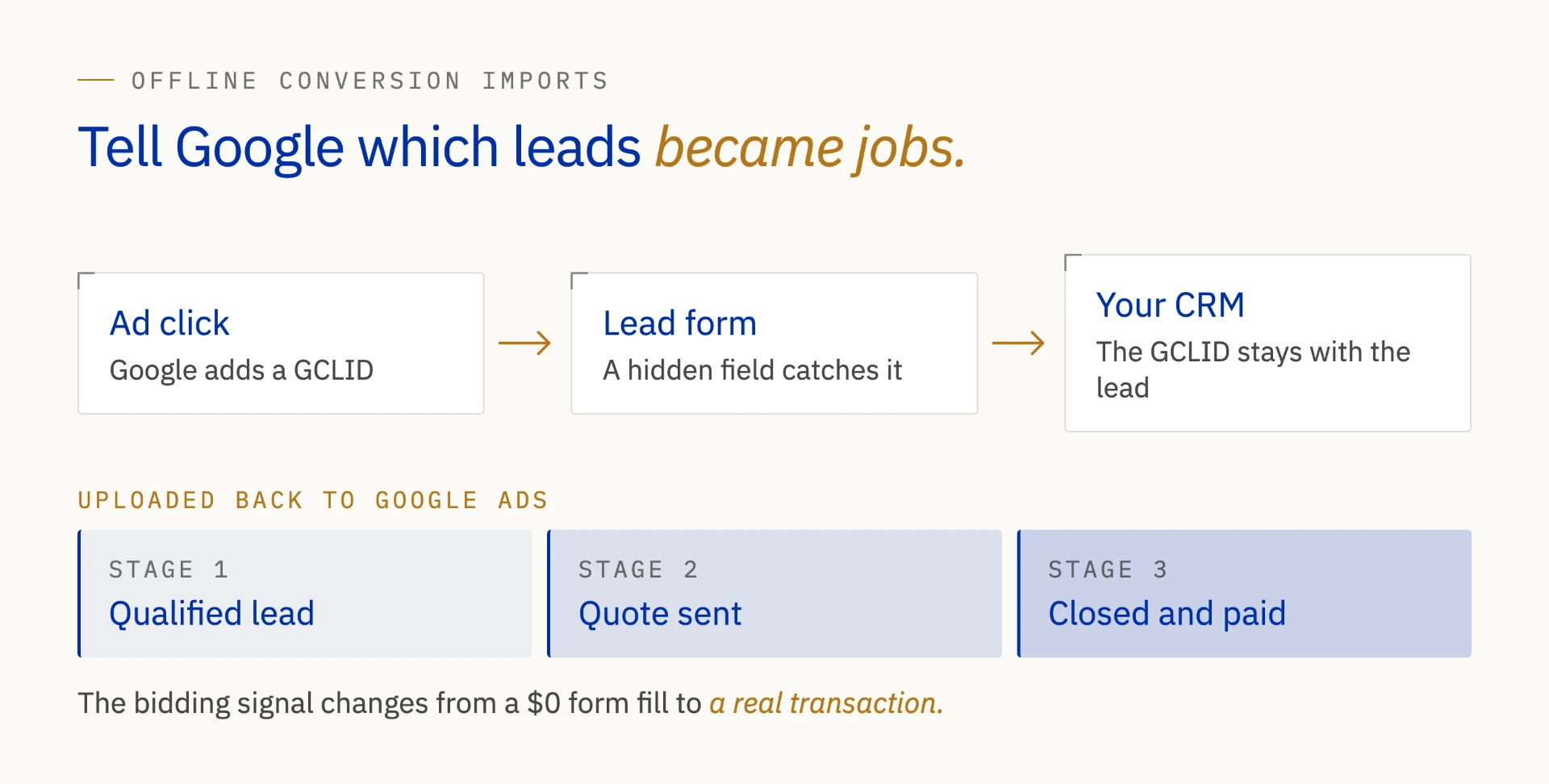
The technical execution of OCI involves capturing the GCLID, a unique string of characters Google appends to your URL when a user clicks an ad. Your website must be configured to 'catch' this ID and store it in a hidden field in your lead form. When that lead is saved in your CRM, the GCLID lives with it.
Once that lead moves through your sales funnel, you upload a CSV or use a direct API integration to tell Google:
- Qualified Lead: The user passed the intake screening.
- Quote Sent: A technician visited the home and provided an estimate.
- Converted/Closed: The job was completed and paid.
By uploading these milestones, you change the 'bidding signal' from a generic $0 value form-fill to a high-value transaction. This is how sophisticated operators achieve a 5x or 10x ROAS (Return on Ad Spend) while their competitors are stuck fighting over high-CPL keywords that don't convert to revenue.
Why Bidding for Form-Fills is Increasingly Risky
Click fraud and 'bot leads' are a growing reality in the home services space. Bots are excellent at filling out forms, which triggers a conversion signal to Google. If you optimize for form-fills, Google's algorithm thinks it is winning and will spend more of your budget chasing those bots. This creates a 'death spiral' where your CPL looks great on paper, but your technicians are sitting idle.
Offline conversions act as a filter. A bot can fill out a form, but a bot cannot book a $500 diagnostic fee or sign a contract for a pool remodel. When you only bid on leads that reach the 'Dispatched' or 'Sold' status in your CRM, you effectively immunize your Google Ads account against low-quality traffic and fraud.
Implementing Value-Based Bidding (VBB)
Once you have 30 to 60 days of offline data flowing back into Google Ads, you can move from 'Maximize Conversions' to 'Maximize Conversion Value' or 'Target ROAS'. This is the holy grail of home services digital marketing. Instead of asking Google to 'get me a lead for $80,' you are asking Google to 'find me the highest revenue potential for every dollar I spend.'
For a franchise operator managing multiple territories, this is particularly powerful. You can see that a $200 lead in a high-net-worth zip code is actually 'cheaper' than a $50 lead in a low-value area because the average ticket size is three times higher. Google Ads LSA (Local Services Ads) are already moving toward this model, and your standard Search campaigns must follow suit to remain competitive. If you are not certain which of these events fires on your own site, our free conversion tracking audit loads it in a real browser and reports what it finds.
Offline conversion imports also decide which search terms deserve protection between campaigns: once booked revenue is flowing back in, the exclusion rules in our guide to negative keyword scripts that stop PMax cannibalization can be applied to the terms that actually produce work.
Takeaways
- Close the Data Loop: Connect your CRM (ServiceTitan, Jobber, etc.) to Google Ads to move beyond surface-level metrics.
- Optimize for Revenue: Use OCI to teach Google the difference between a 'looker' and a 'buyer.'
- Protect Your Budget: Offline signals naturally filter out bot traffic and low-intent form-fills that inflate CPL.
- Scale Smartly: Shift to Value-Based Bidding once you have enough downstream data to inform the algorithm.
- Better Attribution: Understand exactly which keywords lead to high-ticket sales, not just high-volume clicks.